


Webflow vs WordPress: What Actually Matters When Choosing a Platform

Webflow and WordPress are both capable website platforms, but they serve different needs. WordPress offers a vast plugin ecosystem and deep customisation through third-party tools, but requires ongoing technical maintenance - plugin updates, security patches, hosting management, and regular developer involvement. Webflow produces cleaner code, loads faster out of the box, includes hosting and security natively, and gives non-technical teams genuine control over content. For most business websites that need to perform reliably over several years, Webflow creates a lower-maintenance, more predictable ownership experience.
The question behind the question
Most people searching “Webflow vs WordPress” aren’t looking for a feature checklist. They’re trying to figure out something more practical - which platform is going to cause them fewer headaches over the next three to five years.
That’s a fair question. And it deserves a more honest answer than most comparison articles give.
You can find feature breakdowns everywhere. Plugins, templates, pricing tiers, SEO settings - it’s all been covered. What’s harder to find is a straight account of what it’s actually like to own a website on each platform once the excitement of launch day wears off.
That’s what this is about. Not which platform wins some imaginary contest, but which one creates a better long-term experience for the kind of businesses we work with - service businesses, clinics, food and beverage brands, and design-led companies that need their website to work without constant attention.
We’re a Webflow Certified Partner, so obviously we have a perspective. I’ll be upfront about that. But we’ve also migrated enough WordPress sites to understand both sides - and I’ll be equally upfront about the cases where WordPress is still the better call.
What you’re really choosing between
Strip away the marketing, and this is a choice between two fundamentally different models of website ownership.
WordPress is open-source software you install on hosting you manage (or pay someone to manage). Its power comes from thousands of plugins that extend its functionality in almost every direction. That flexibility is real - but it comes with operational responsibility. You’re assembling a system from parts, and you’re the one keeping those parts working together.
Webflow is a platform where design, development, hosting, and security are integrated. You’re not installing plugins for core functionality - things like forms, animations, CMS, and SEO controls are built in. The trade-off is a smaller third-party ecosystem and less flexibility for highly custom server-side logic.
Neither model is inherently wrong. But they create very different day-to-day realities.
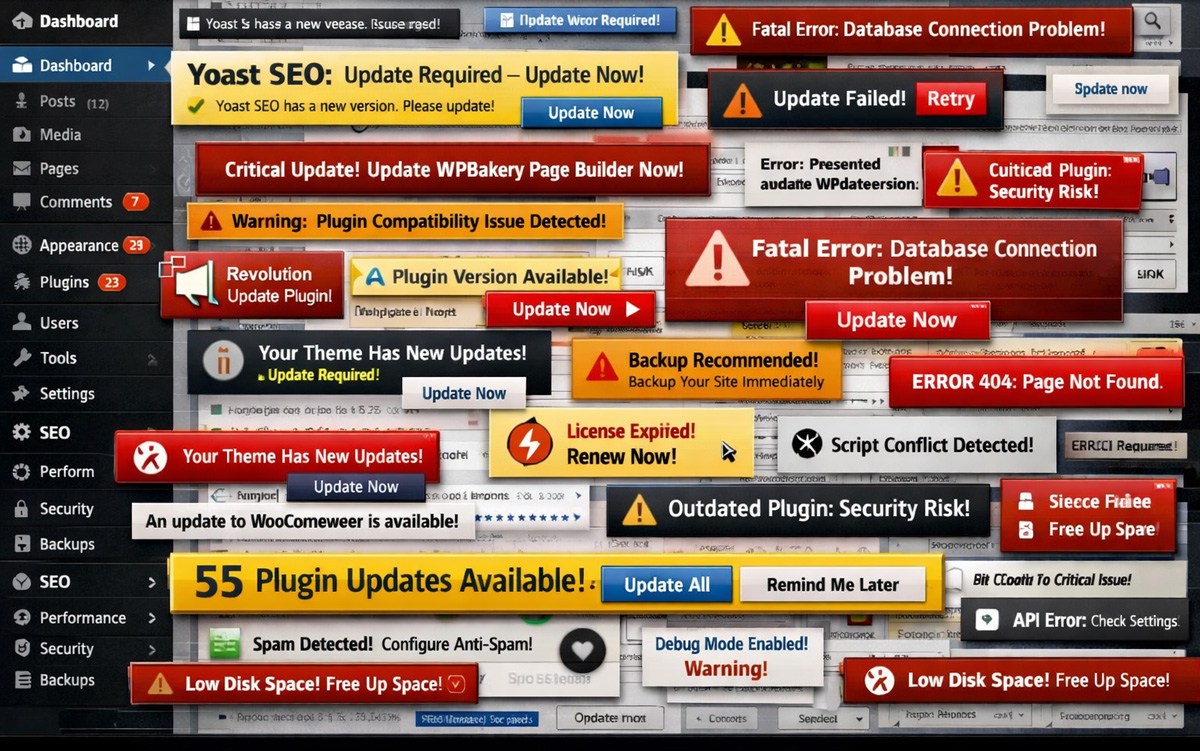
How much maintenance does WordPress actually require?
This is where the two platforms diverge most dramatically in practice.
A WordPress site requires regular attention just to keep running safely. Core updates, plugin updates, theme updates, PHP compatibility, hosting configuration, SSL certificates, database optimisation, security monitoring - all ongoing. Some of it can be automated or handled by managed hosting, but the responsibility doesn’t disappear. Someone is always managing it. That someone is either you or a developer you’re paying.
Plugin conflicts are a particular pain point. When two plugins update independently and stop playing nicely - or when a WordPress core update breaks plugin functionality — diagnosing and fixing the issue takes developer time. The more plugins you add, the more surface area exists for things to go wrong.
Webflow eliminates most of this. Hosting, SSL, CDN, and security are handled by the platform. There are no plugins to update, no server to configure, no compatibility conflicts to troubleshoot. The site you built six months ago works the same way today without anyone having touched it.
For a small business without a dedicated technical team, this difference alone often tips the decision. It’s not that WordPress maintenance is impossibly complex - it’s that it’s ongoing, and the cost adds up quietly over time.
The editing experience
WordPress’s editing experience has improved a lot with the Block Editor (Gutenberg), but for most non-technical users, making meaningful layout changes still requires either a page builder plugin - Elementor, WPBakery, Divi - or developer involvement. Those page builders add another layer of code, another thing to maintain, and another potential point of conflict.
Webflow works differently. The design you see in the editor is the live website - there’s no translation layer between the editing interface and what visitors experience. Your team can update text, swap images, and manage blog content through the CMS without touching anything structural. For bigger layout changes, you’d typically involve a developer - but the day-to-day content work is genuinely something your team will actually do, rather than put off because it feels too intimidating.
I hear this consistently from clients who’ve moved from WordPress to Webflow. It’s not just that managing the site became easier - it’s that their team started actually doing it regularly, instead of letting updates pile up because the backend felt like somebody else’s territory.
Cost over time
This is the comparison most articles get wrong, because they focus on the sticker price and ignore what happens after that.
WordPress is technically free to install. But a business website on WordPress typically involves paid hosting ($20–$100+/month for quality managed hosting), a premium theme ($50–$200), essential plugins (SEO, security, forms, caching, backups — each potentially $50–$200/year), and ongoing developer time for updates and troubleshooting. Over three years, the total is often comparable to or higher than an equivalent Webflow site — and that’s without anything breaking.
Webflow’s pricing is more transparent. Site plans sit around $15–$50/month depending on features, with no additional hosting costs, no plugin licensing, and significantly less developer time needed for upkeep. The three-year total is more predictable, which genuinely matters when you’re trying to plan a budget.
The real hidden cost with WordPress isn’t any single line item - it’s the accumulation of small costs, small fixes, and small chunks of developer time that add up quietly. For the businesses we work with, the predictability of Webflow’s model is often as valuable as the lower total.
Design flexibility and code quality
WordPress’s flexibility is real - with a custom theme and the right developer, you can build almost anything. But that flexibility typically involves layers of abstraction: a theme, a page builder, multiple plugins, and custom CSS - each adding weight that browsers have to parse. The result is often functional but heavier than it needs to be.
Webflow generates clean, semantic HTML and CSS directly from the visual design. No theme layer, no page builder overhead, no plugin bloat. The output is leaner, which translates directly to faster page loads and better Core Web Vitals scores - both of which matter for search rankings and user experience.
For bespoke business websites - the kind we build at Dot The i Studio - Webflow gives us complete design control without generating technical debt. Every site is built from scratch, structured around the business’s actual needs. Not adapted from a theme that almost fits.
Migration: easier than you’d think
I should mention this because it comes up in almost every conversation with clients who are currently on WordPress — the idea of migrating feels like a bigger deal than it usually turns out to be.
The process involves auditing your current site, planning the new structure in Webflow, handling the build, and managing the technical cutover - redirects, SEO preservation, the unglamorous stuff that actually matters. We’ve done this enough times to know where the friction points are, and most of them are logistical rather than technical.
A migration is also a good opportunity to rethink things rather than just replicate what exists. Most clients who move to Webflow end up with a better site than they had - not just because of the platform change, but because the process forces a useful conversation about what’s actually working and what isn’t.
When WordPress might still be the right choice
Being honest about this makes the rest of the argument more credible, so here it is.
WordPress may be the better choice if you’re building a large-scale content publishing operation with hundreds of authors and complex editorial workflows. The WordPress ecosystem has mature tools for multi-author publishing that Webflow hasn’t matched yet.
It can also make sense if your project has specific plugin dependencies that don’t have Webflow equivalents - certain membership platforms, learning management systems, or deeply custom e-commerce requirements that go beyond what Webflow–Shopify integrations can handle.
And if you already have a well-maintained WordPress site with a reliable developer managing it, migrating purely for the sake of being on Webflow doesn’t always make sense. If the system works and the relationship is solid, that has real value.
For most service-based businesses, design-led brands, and companies in the $25k–$50k+ website range, though? Webflow is where I’d start the conversation every time.
The real hidden cost with WordPress isn't any single line item - it's the accumulation of small fixes and developer time that adds up quietly.
What happens after you choose
Here’s the thing that almost no platform comparison mentions - the platform decision is just the beginning. What happens after launch matters more than what happens during the build. We’ve written more about that in what happens after a website launches, and it’s worth reading regardless of which platform you’re on.
For most service businesses and design-led brands, Webflow is the lower-maintenance, more predictable platform for a three-to-five year ownership horizon. WordPress remains the better fit for complex publishing operations or plugin-dependent use cases. The right answer depends less on the platforms themselves and more on who's going to own the site once it's live.
Common questions
Is Webflow better than WordPress for SEO?
Both platforms can produce well-optimised websites. Webflow’s advantage is that clean code, fast hosting, and SEO controls are built in from the start — there’s no reliance on third-party plugins for basic SEO functionality. WordPress can match this with the right plugins and hosting, but it requires more configuration and ongoing attention.
Can I migrate my WordPress site to Webflow?
Yes. We’ve migrated sites from WordPress, Squarespace, and other platforms into Webflow. The process involves auditing your current site, planning the content and structure for Webflow, handling the build, and managing the technical cutover — including redirects and SEO preservation. It’s often a good opportunity to rethink structure and content rather than just replicating what exists.
Is Webflow cheaper than WordPress?
The upfront cost is similar, but the total cost of ownership over three years is typically lower with Webflow. WordPress’s ongoing costs — hosting, plugin licensing, security monitoring, and developer maintenance — accumulate. Webflow’s pricing is more predictable, with hosting and core features included in the site plan.
Does Webflow work for e-commerce?
Webflow has its own e-commerce features for simpler stores. For more robust e-commerce needs, we typically recommend a Webflow–Shopify integration — Webflow handles the brand and marketing experience, while Shopify manages products, checkout, and fulfilment. Best of both without forcing everything into one platform.
Exploring a change?
If you’d like to talk through whether Webflow makes sense for your situation - or if you just want an honest assessment of what a migration from WordPress would involve - we’re always happy to have that conversation.